
Python Voice Tracking — Manual Integration
Implement complete voice billing flows in Python using Paygent’s Session-based tracking.
Prerequisite: Complete the Voice Agent Setup before implementing voice tracking.
Voice Pricing
As an architect with decades of experience in high-throughput billing systems, I can tell you that flexibility is the heartbeat of a successful AI platform.
Scenario A: Per-minute ON
Real-World Scenario: You run a dental clinic AI that handles appointment bookings. You want to charge based on the actual conversation time because longer calls use more compute resources.
When you enable the Per-minute toggle on your Indicator, Paygent calculates the total duration reported in your set_voice_indicator call.
Result: Perfect for connectivity-based SaaS where you pass on infrastructure costs with a margin.
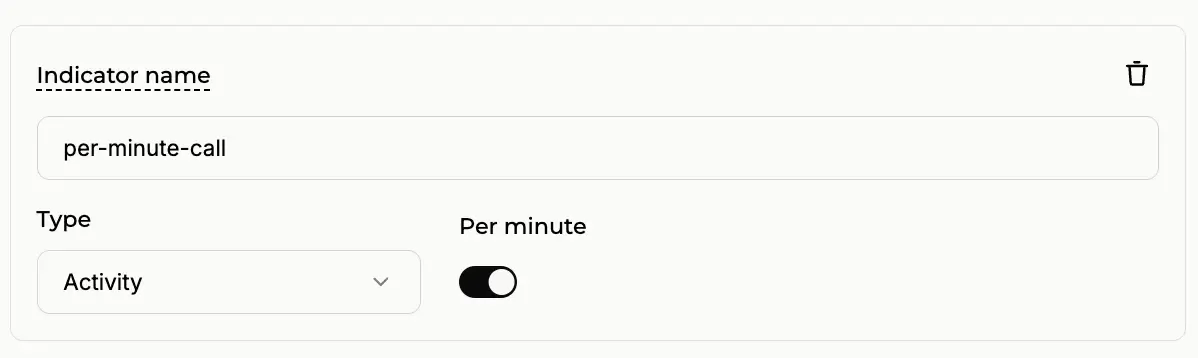
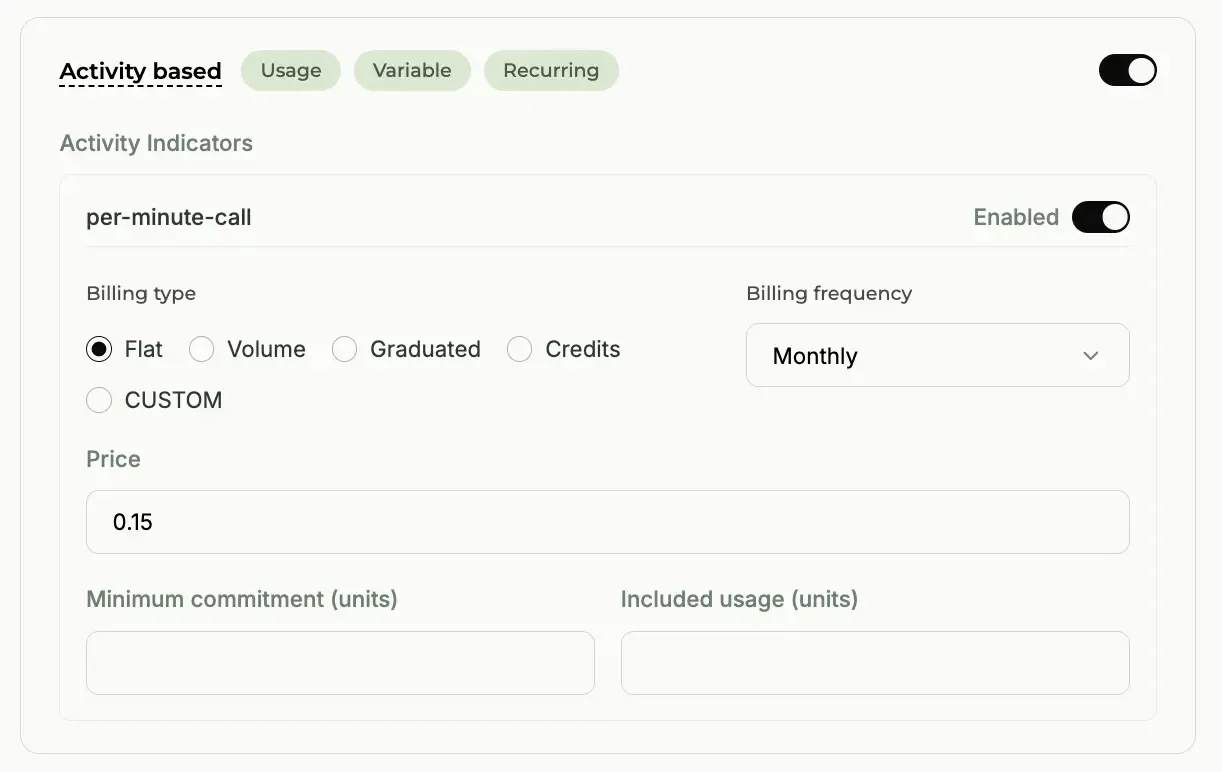 Configuring the Activity Indicator with the Per-minute toggle ON.
Scenario B: Per-minute OFF
Real-World Scenario: You’ve built a world-class Lead Qualification agent. Your customers don’t care how long the call lasts; they only care that the lead was qualified successfully.
Disable the Per-minute toggle. Now, no matter if the call lasts 1 minute or 20 minutes, the customer is charged a single fixed rate.
Result: Ideal for outcome-based services where your value is tied to task completion, not duration.
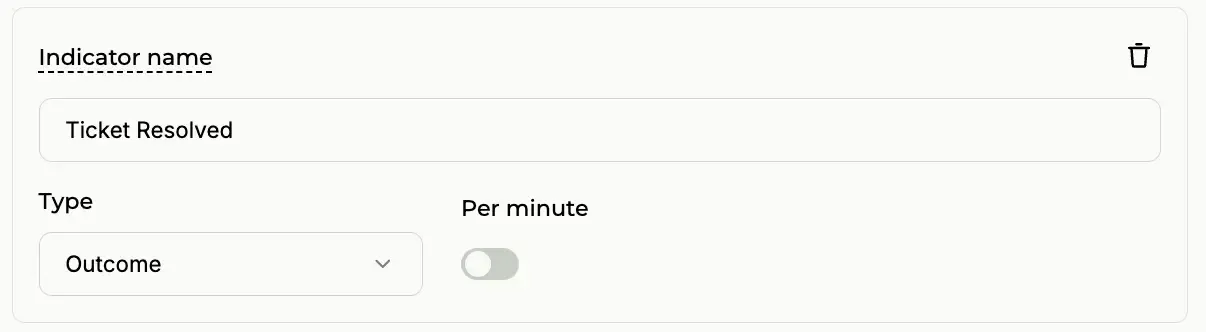 Configuring the Activity Indicator with the Per-minute toggle OFF.
Custom Pricing
In modern AI architectures, one size rarely fits all. You might use GPT-5 for high-stakes negotiation agents, but switch to Gemini 2.5 for simple data entry tasks.
Tip: Custom Pricing is only visible when the Per-minute switch is ON in Step 2. This allows you to charge based on the specific infrastructure used.
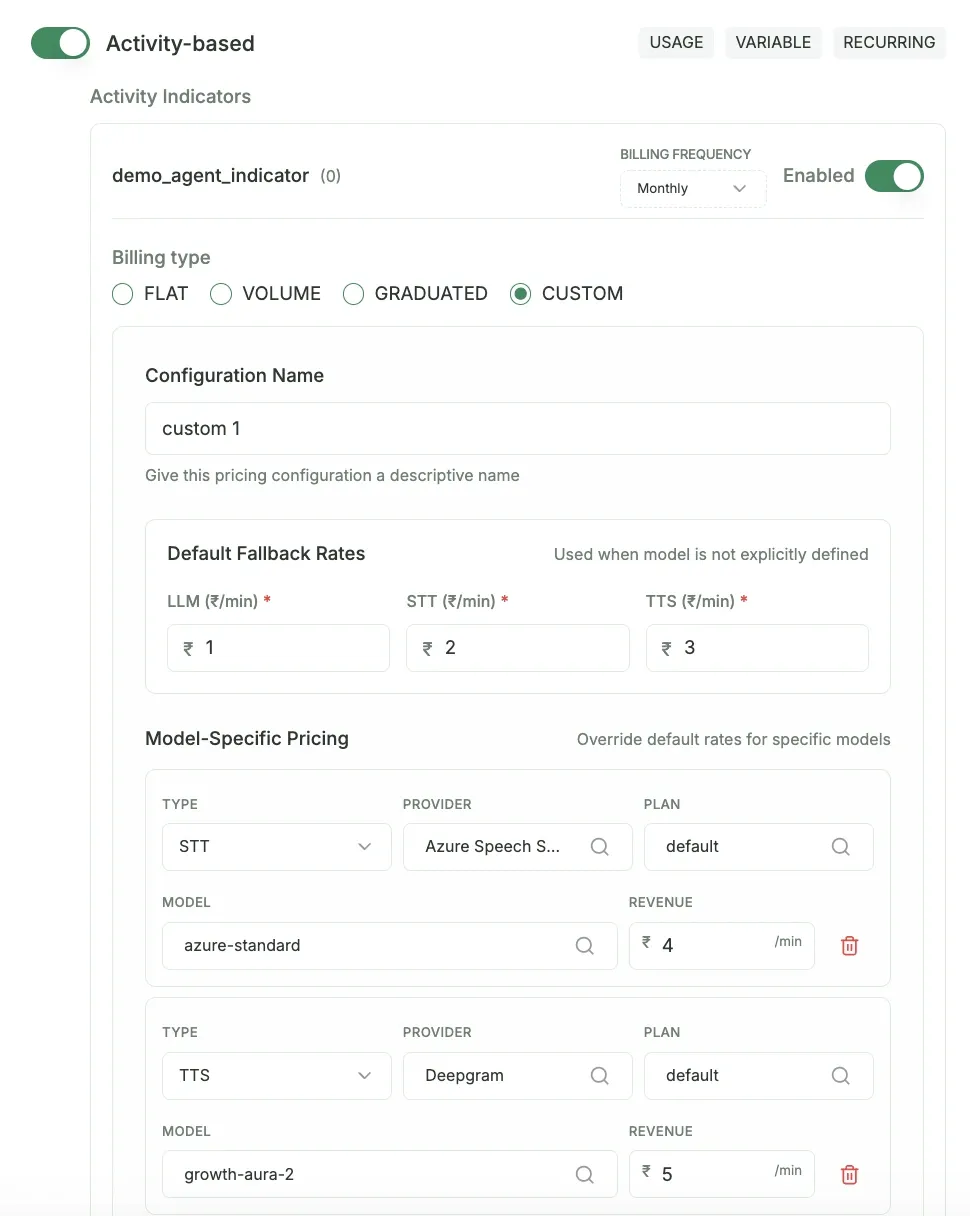
Real-World Custom Example:
Paygent automatically detects the models you track via track_voice_stt, track_voice_llm, and track_voice_tts. You can then set unique per-minute rates for each tier:
- LLM: GPT-5 (Premium): $0.50 / min
- LLM: Gemini 2.5 (Standard): $0.20 / min
- STT: Deepgram Nova-2: $0.05 / min
- TTS: Azure Neural: $0.08 / min
“With Custom Pricing, you no longer subsidize expensive models with cheap ones. Your margins stay protected while you provide the best possible AI experience.”
Complete Voice Session Flow
This example shows how to manage a voice session from start to finish:
How it Works
Step 1 — On-the-fly Onboarding
The create_or_get_customer method allows for frictionless user onboarding. If a customer with the external_id doesn’t exist, Paygent creates one automatically.
Step 2 — Session Context
initialize_voice_session sets up a billing context for the call. This ensures all subsequent STT, LLM, and TTS usage is grouped under this single call session.
Step 3 — Detailed Analytics
Track every event within the voice pipeline. Paygent provides deep insights into which models are being used and the associated costs in real-time.
Step 4 — Final Outcome
Finalize the session with set_voice_indicator. Use the duration or outcome-based indicators to accurately bill your customers.